01
Every turnover, in view.
See check-outs, arrivals, unassigned cleans, and upcoming reservations. Plan cleaning around the time you actually have.
Indigo Property Ops is operations software for vacation rental cleaning companies and property managers. It brings cleaning schedules, inspections, maintenance and statements into one place, with features depending on the version you choose. It helps cleaning organisations and property managers coordinate their teams, including teams that already have their own cleaners.
Follow the work from booking information through turnover, readiness, maintenance and records. Availability depends on version — compare versions.
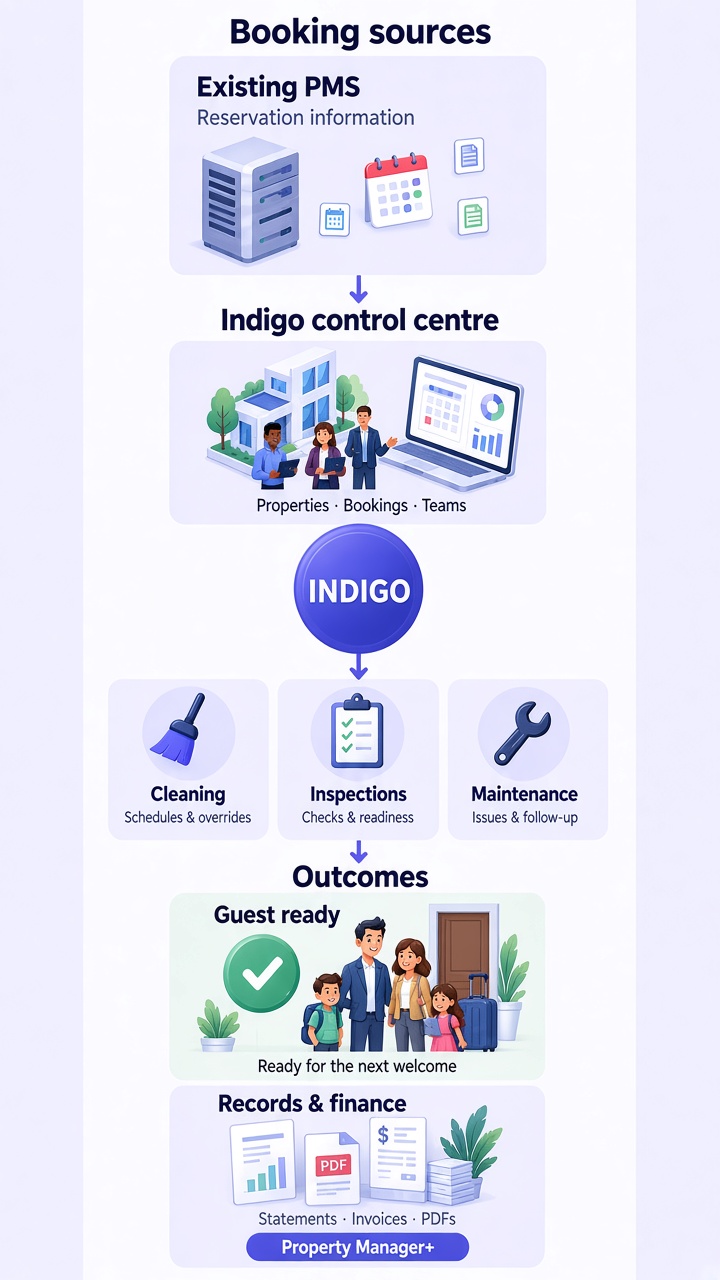
Follow the flow from booking information through cleaning, inspections, and maintenance to guest readiness and owner finance.
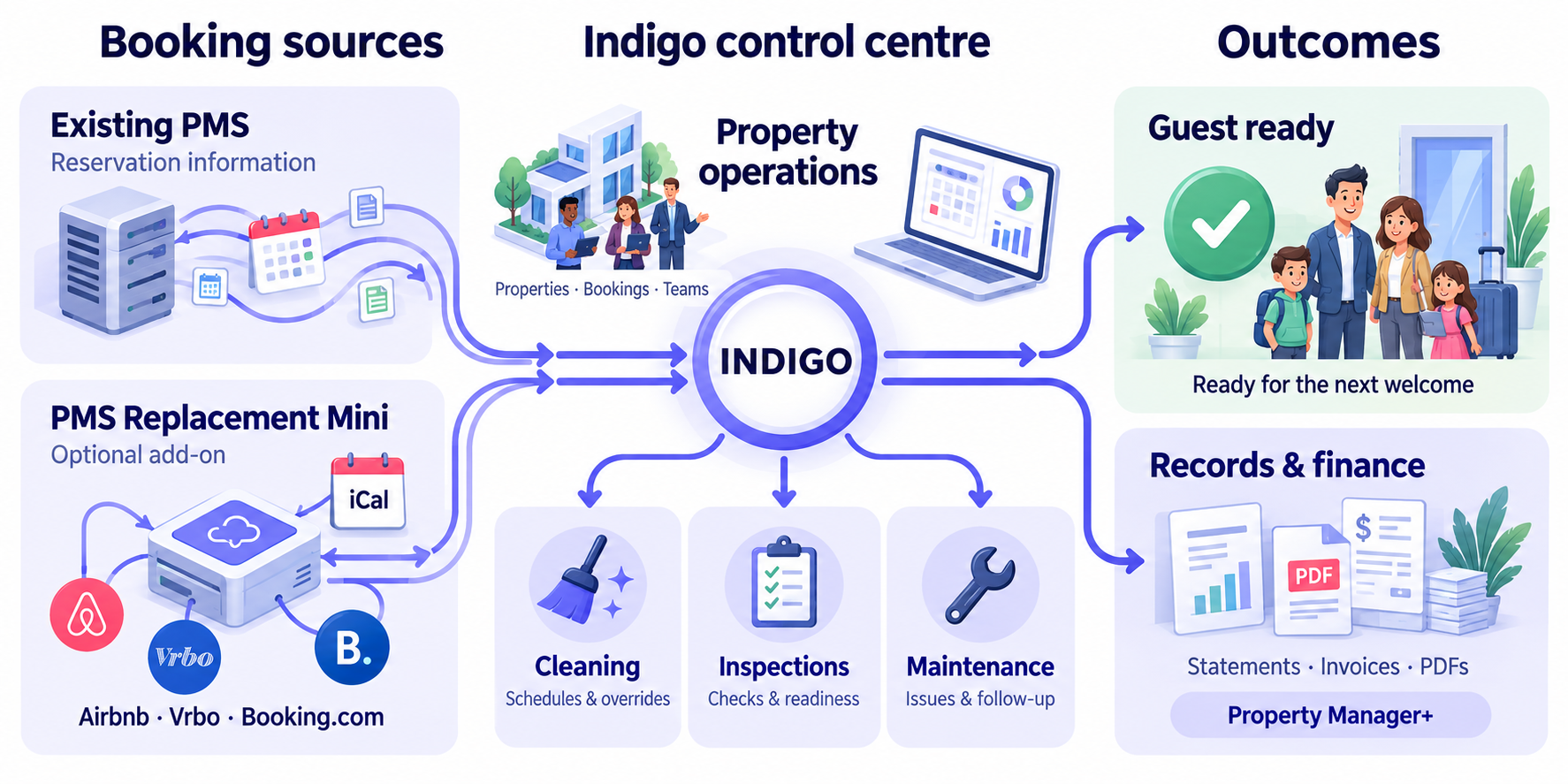
Indigo can export an iCal of bookings entered in the system. Owners supply that calendar to each booking site they use, such as Airbnb, Vrbo and Booking.com, so those dates can be blocked when the site refreshes the calendar. It is an export, not an import, and refresh timing depends on each site. It does not guarantee against double bookings. Finance is included with Property Manager+.
Your team works across properties. Your information shouldn’t. Indigo gives the office and field teams a shared picture of what’s next, what’s open, and what’s ready.
See check-outs, arrivals, unassigned cleans, and upcoming reservations. Plan cleaning around the time you actually have.
Bring cleaning, maintenance, and inspection progress together for each turnover. See what still stands between a property and its next guest.
Track issues by property, priority, assignee, and due date. Find unassigned work, upcoming tasks, and jobs waiting for the next visit.
Keep owner statements, cleaner statements, cleaning invoices, and maintenance remittance alongside your operational workflows.
Indigo gives each part of the team a practical view of the same operation, with access scoped to role and assigned properties.
Plan the week, assign cleaners, respond to booking changes, and keep every turnover visible.
See cleaning workflowsFollow reservations, readiness, inspections, maintenance, and the work still open before arrival.
See property operationsConnect the operational record with owner and cleaner statements, invoices, and maintenance remittance. Finance is included with Property Manager+.
See financial workflowsTwo timelines. One view of what’s coming. Follow reservations across your managed properties, then see the cleaning windows between stays.
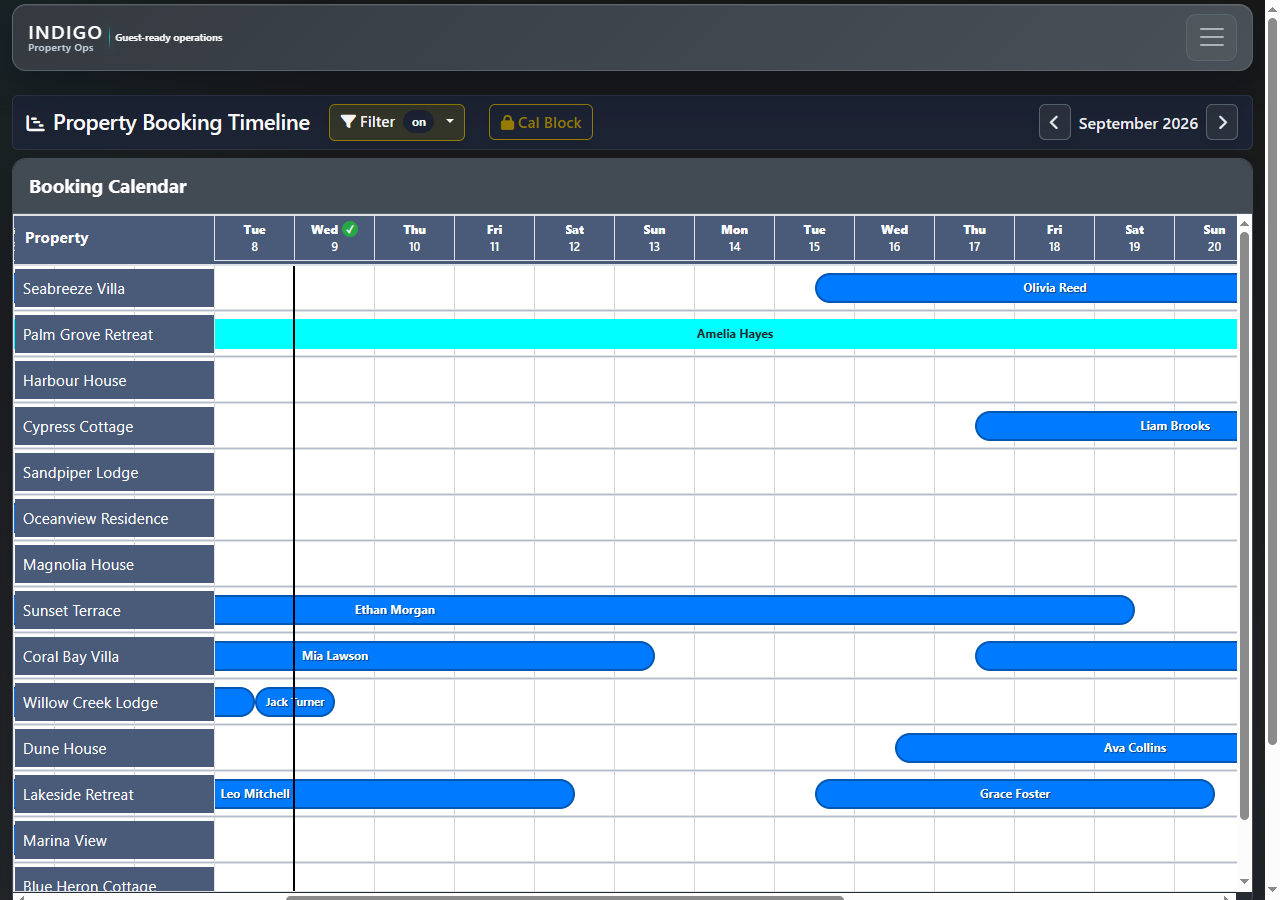
See stays, arrivals, departures, and gaps across managed properties.
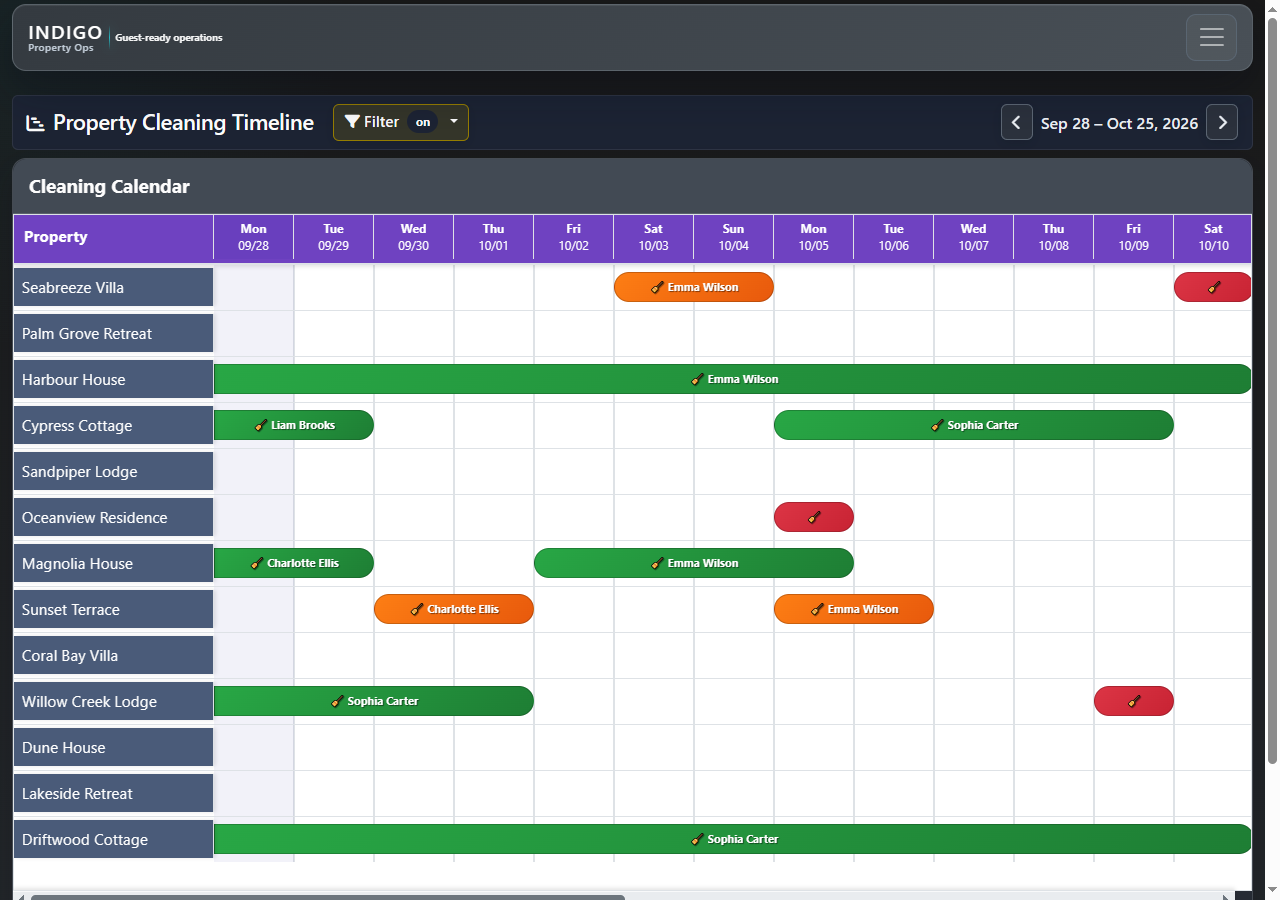
See the time between stays, with color-coded windows highlighting turnover urgency.
See arrivals, departures and gaps across managed properties.
Turn each stay into a visible cleaning window and assignment.
Actual Indigo screens. Both timelines are filtered to managed properties. Names and properties shown are fictional demonstration data.
Check arrivals, departures, overdue cleans, inspections, current guests, and upcoming reservations from one operational dashboard.
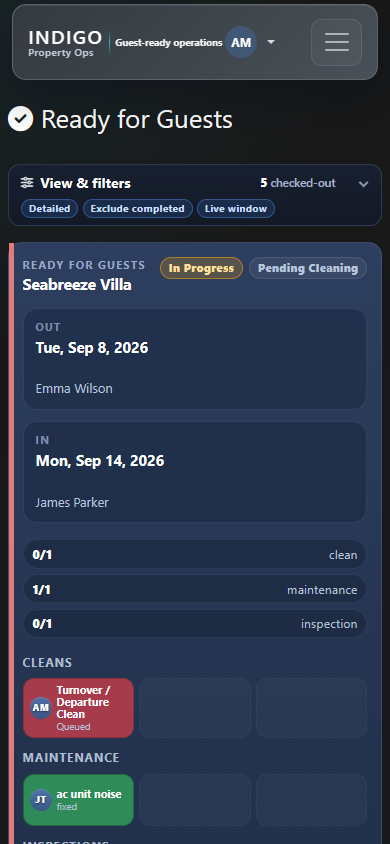
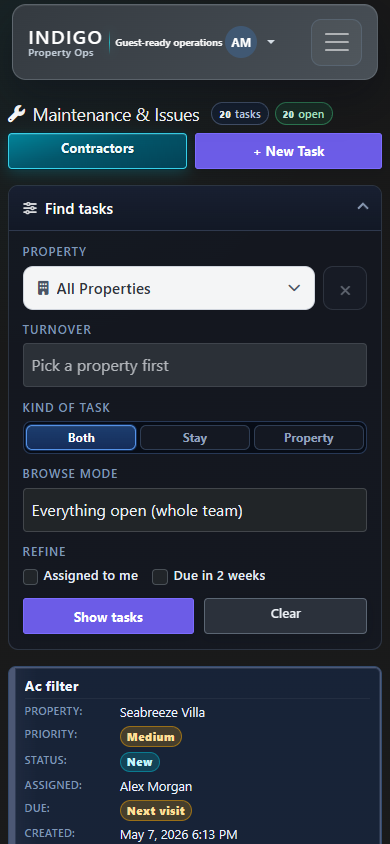
Open Indigo in a mobile browser to review guest readiness and find maintenance work while you’re away from your desk.
Actual Indigo mobile browser screens with fictional demonstration data.
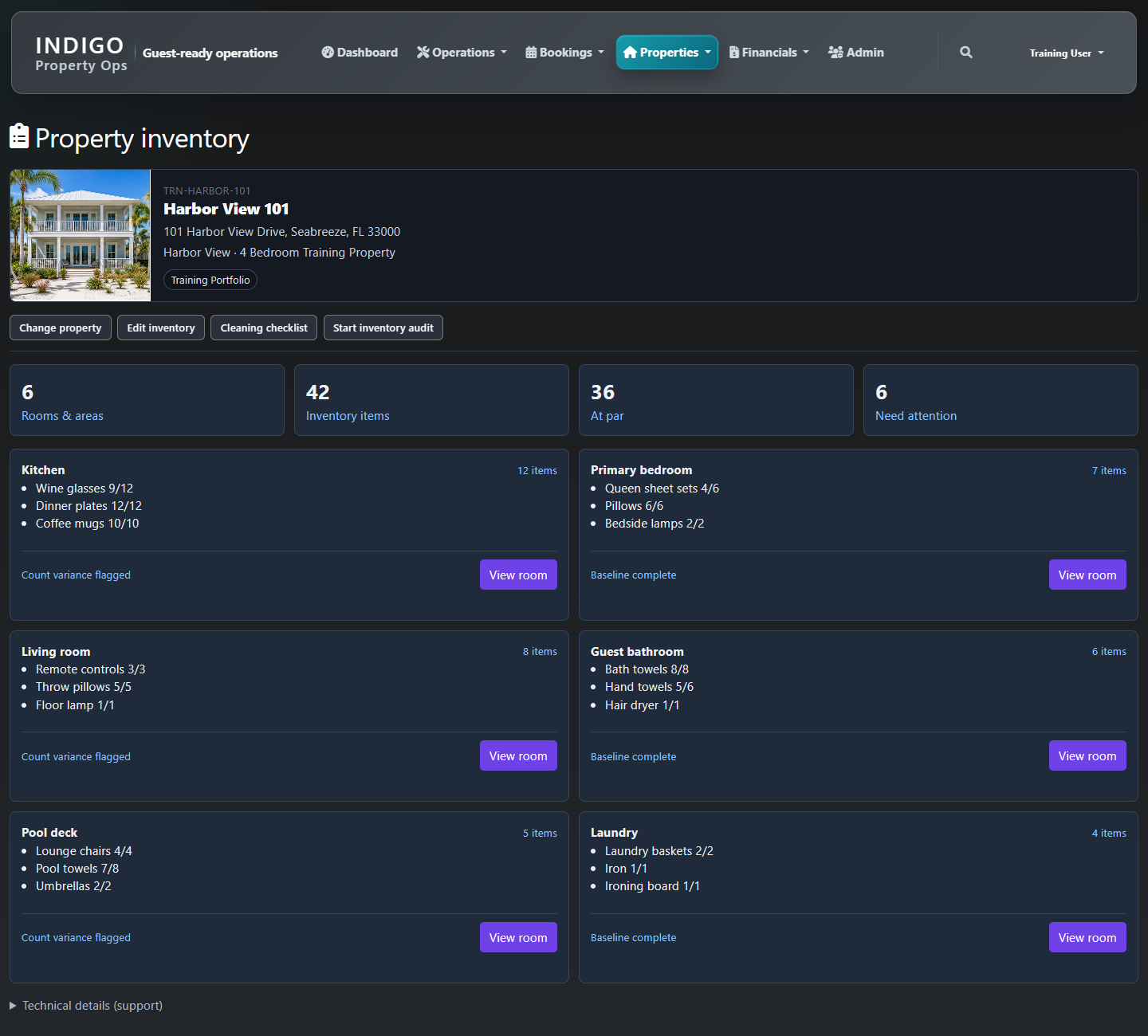
Organise inventory by property, room, and item. Track par levels, flag count differences, prepare cleaning checklists, and start an inventory audit from the property record.
Bring the financial side of property operations into the same picture, with dedicated workflows for owners, cleaners, and maintenance contractors. Availability depends on version — compare versions.
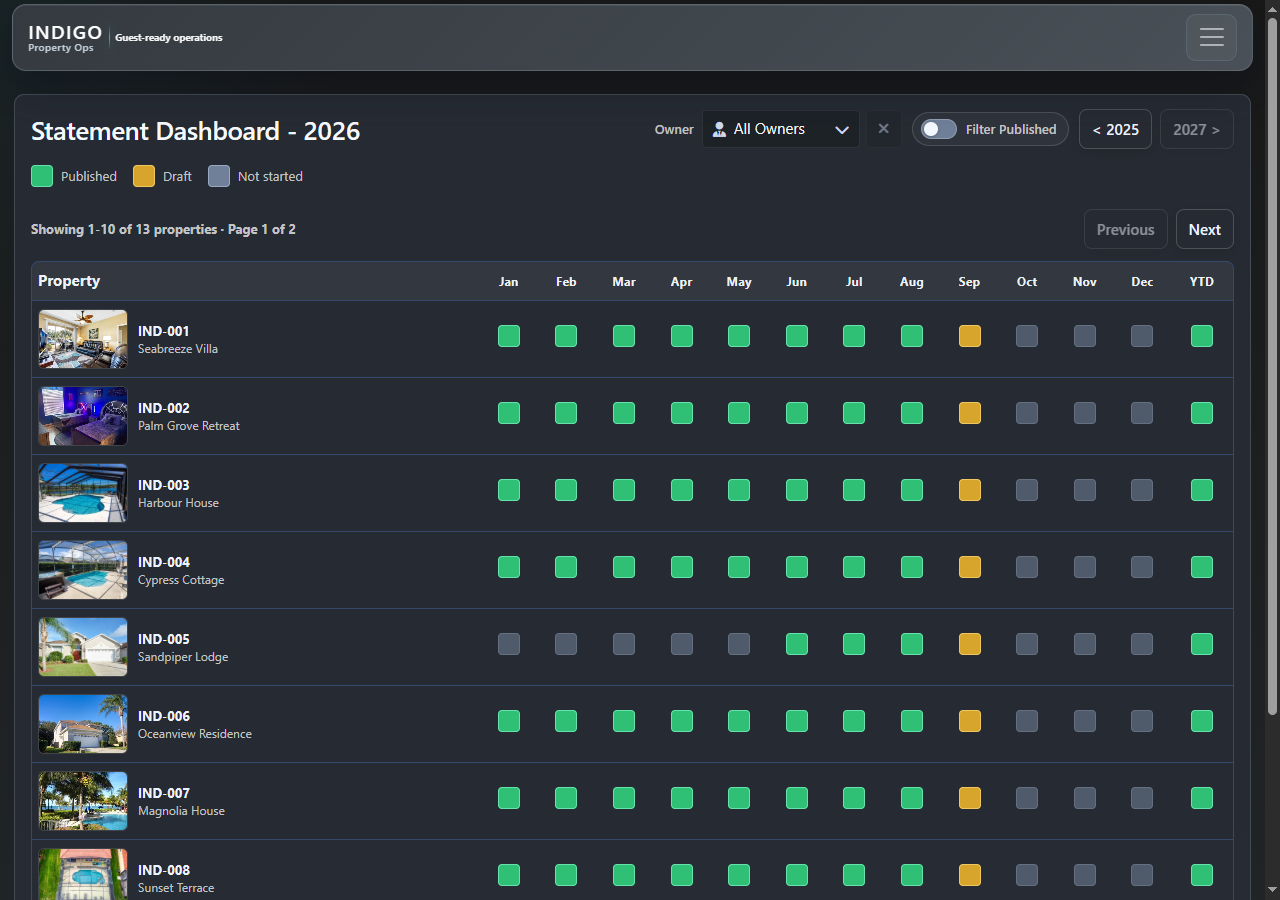
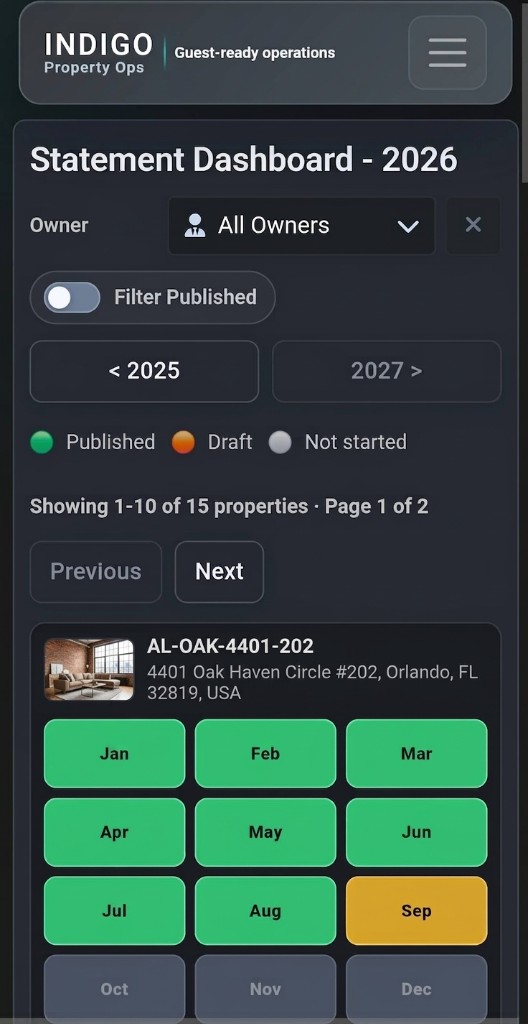
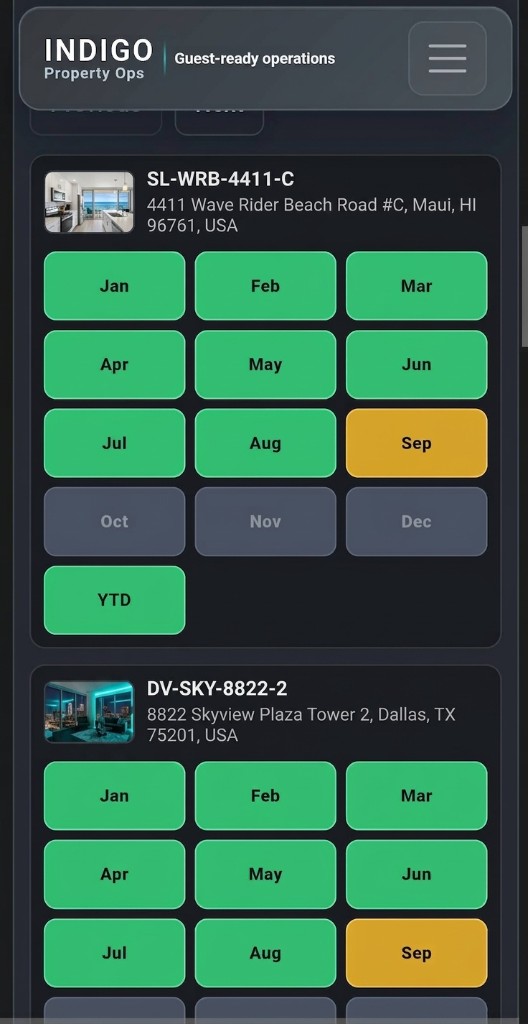
Statement Dashboard · Demo data
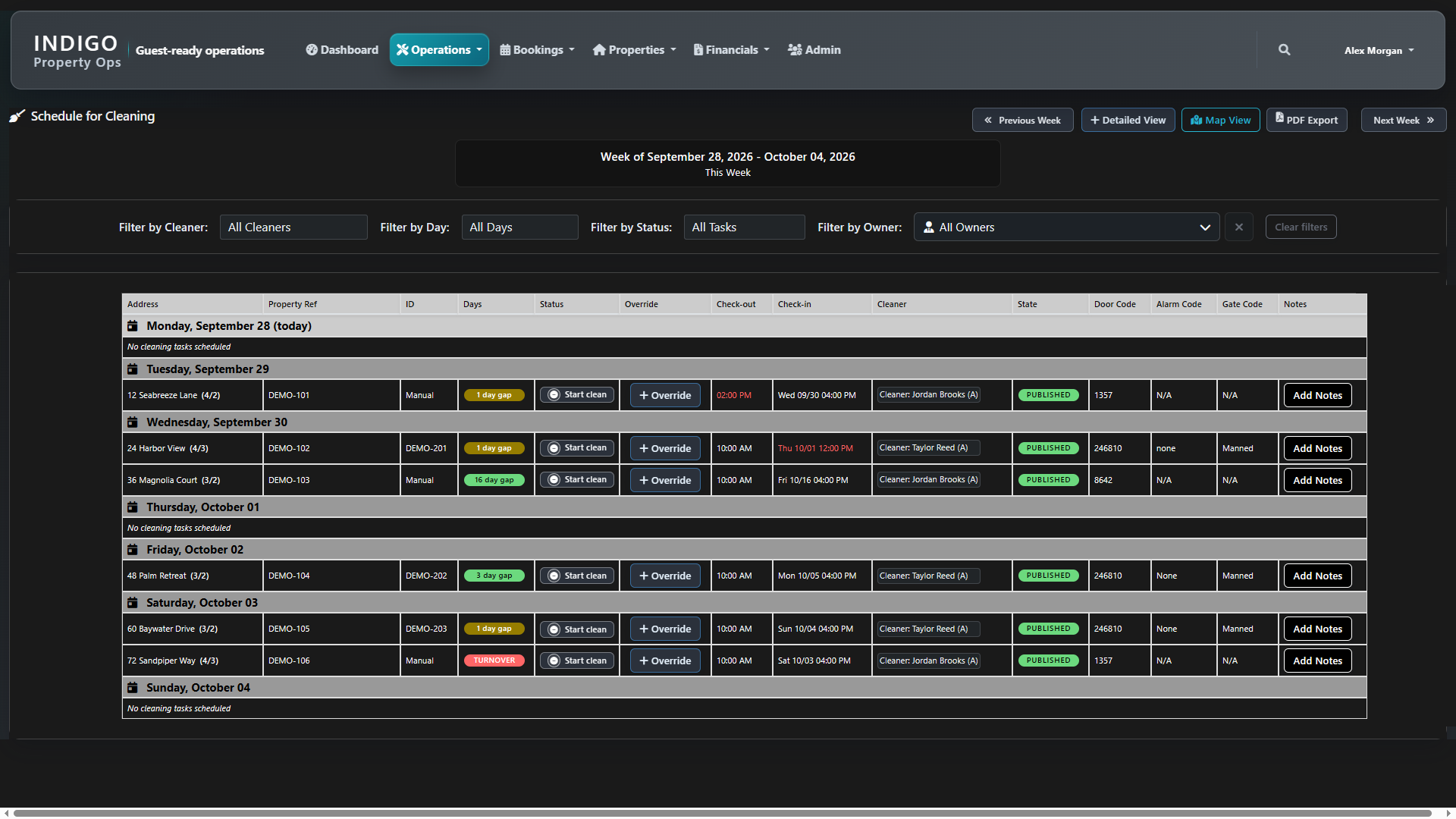
Review the week by cleaner, day, status, or owner. See check-out and check-in times, cleaning status, assignments, and Override controls together. Switch to Detailed View or Map View, or use PDF Export.
Indigo’s onboarding can follow the work each person actually performs—cleaning coordination, property operations, maintenance, inventory, or financial workflows—so users understand both where to click and what happens next.
Match access and training to each person’s responsibilities and assigned properties.
Learn the sequence from booking signal through turnover, readiness, follow-up, and records.
Use realistic demonstration data without exposing live operational or owner information.
From reservations and access codes to inspections and owner statements, find the tools your office and field teams use throughout the day.
Keep the work between stays moving.
Understand the stays that drive your schedule.
Keep property information within reach.
Connect operational work with its financial records.
Start with the day ahead and reach the tools behind it.
Operations
Keep the work between stays moving.
Bookings
Understand the stays that drive your schedule.
Properties
Keep property information within reach.
Financials
Connect operational work with its financial records.
Dashboard & Admin
Start with the day ahead and reach the tools behind it.
See how these workflows fit your portfolio.
Request a demo